Shorter waiting in emergencies
When somebody can see which beds are free right now, patients stop waiting next to empty beds nobody knew about.

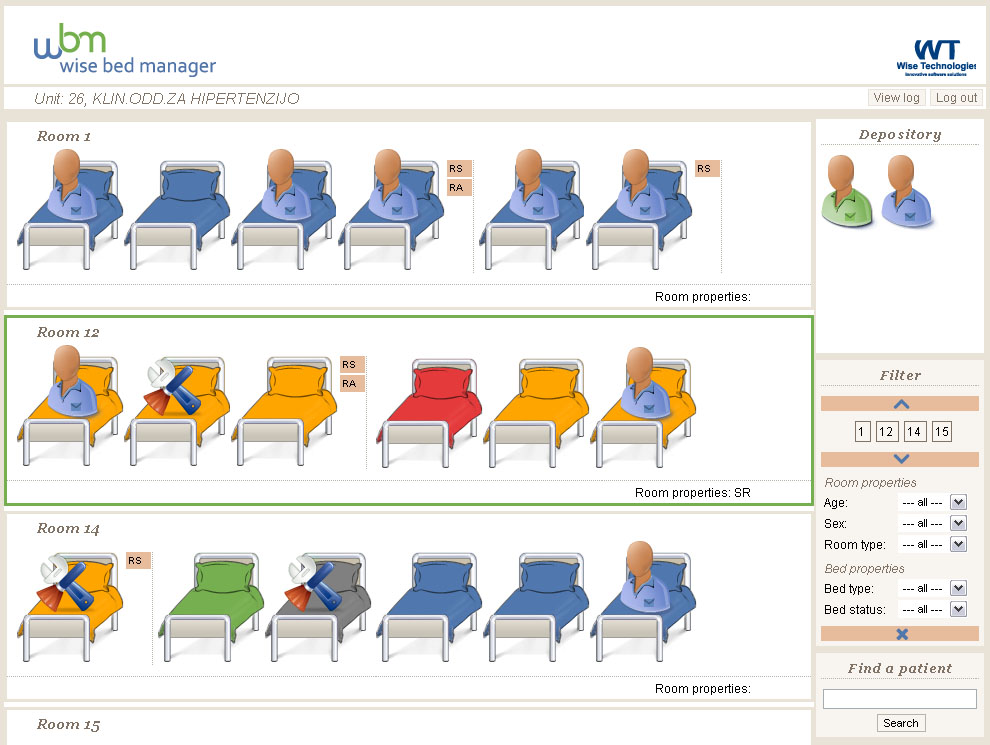
Wise Bed Manager draws your wards the way your staff already picture them — rooms with beds inside, patients on the beds. A nurse admits a patient by clicking an empty bed, and moves one by dragging. Management sees occupancy across clinics, units and the whole hospital.
Runs in a browser. Nothing to install on a workstation.
The three results hospitals report first.
When somebody can see which beds are free right now, patients stop waiting next to empty beds nobody knew about.
Planned surgery is cancelled less often for lack of a bed, because the bed is reserved and visible before the patient arrives.
More patients are admitted to a bed that actually suits their care — the right type, with the right equipment, in the right unit.
Rooms are drawn one below another, each with its beds side by side. A bed carrying a patient figure is occupied; an empty bed is free. Beds under maintenance are marked, and patients cannot be moved into a room under maintenance.
Every bed type has its own colour, and a room type can carry a colour that frames the whole room. That is what makes a particular kind of bed findable in a large ward without reading a single label.
The Depository on the right holds a patient while a bed is being prepared — and it is where a patient sent over by the bed manager appears, in green, waiting to be placed.
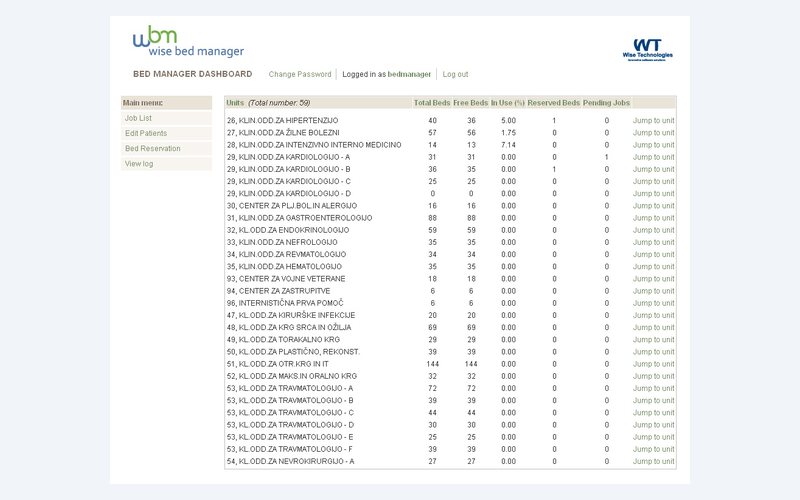
A nurse works inside one unit: admit, move, update, discharge, and propose a transfer to another unit. A bed manager works across units: jobs, patients, bed reservations and logs. A system administrator describes the hospital itself. An executive sees occupancy and bed structure over any period.
Each user belongs to exactly one group, and logging in opens that group's own screen. Nobody has to learn a screen they will never use.
Bed scheduling is one of the crucial factors in providing services to the end users — patients.
Wise Bed Manager design principle
The entire layout is data you enter in the application — no development work, no drawing tool.
Clinics, units, rooms, room types, beds, bed types, statuses and equipment are all list entries. A new ward appears in the graphical view immediately.
A pandemic hospital in an exhibition hall, or a military field hospital, is configured with the same screens as a permanent clinic.
The application does not care whether the room is a ward or a tent. It is a room with beds, with types, statuses and equipment.
The demo is the real application with sample data. Open a unit, drag a patient onto another bed, and see the log record it.