
Implementation

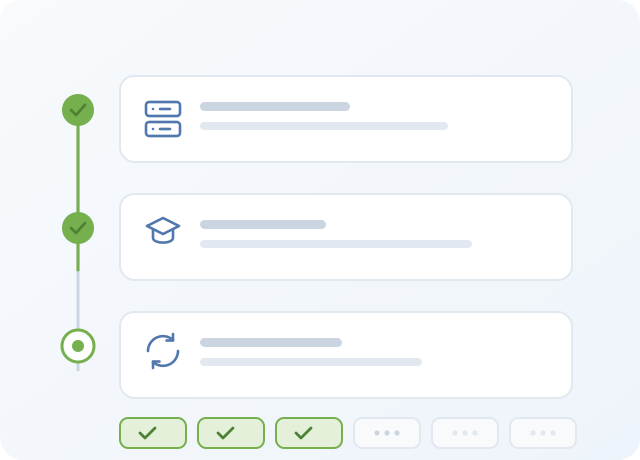
Wise Bed Manager is introduced into a hospital's working process quickly, because there is very little to learn. Implementation has three steps: technical installation and security, user training, and the introduction of the application into daily work.

Three steps

  1. Technical implementation and security

    The software package includes the server, which is incorporated into your hospital network. Workstations need only a web browser, which is standard on every computer today. Data access is secured by widely accepted international standards, including HTTPS transport encryption and encryption on the centralised database.

  2. User training

    Three separate courses, one per role, delivered by an instructor. Because the application is easy to use, none of them takes more than two hours.

  3. Introduction into the working process

    Wise Bed Manager only works if its data is correct, so this step matters more than the installation. Your hospital's units, rooms, bed types and bed equipment are entered before the switch-over.

The three training courses

1 hour · groups of 10–15 participants

Unit user (nurse)

The module used by the majority of users — assigning patients within a unit.

  • How the system works and what it is for
  • Logging in and logging out
  • The user interface
  • Admission, discharge and transfer of patients
  • Changing bed status and bed equipment
  • Worked examples using the help
  • Independent work: three scenarios of application usage
2 hours · 1–2 participants

Bed manager

The administrative module with access to resources across the hospital, which improves the primary scheduling of patients into units.

  • System functions and their uses
  • The user interface
  • Unit, room and bed management
  • Admission, discharge and transfer of patients
  • Monitoring how orders are carried out inside units
  • Specific examples supported by the manual
  • Independent work: typical scenarios with admission, discharge and transfer
2 hours · 1–2 participants

Executive user

The monitoring module, which provides the statistical data required to analyse hospital resources.

  • Using and reading the charts
  • Analysing the statistical data behind them
  • Monitoring bed occupancy across the hospital
  • The user interface
  • Viewing hospital resources by unit, room and bed
Ward staff using the application

Switching over without stopping the wards

The system can be introduced gradually, one unit at a time, or everywhere at once. In both cases the introduction is transparent and does not interrupt work inside the units.

All the required data is gathered during a single day — the daily status. When that is complete we save the changes and, at the moment of least activity, switch the system on. It is ready to use immediately.

See it running before you decide

The demo is the real application with sample data. Open a unit, drag a patient onto another bed, and see the log record it.