Users and roles

Each user belongs to exactly one group, and logging in opens that group's own screen. Whether your hospital has 30 beds or 3,000, the four roles below cover everyone who has to know where a patient is.

Nurse

Works inside one unit

  • Admit a new patient to a bed
  • Move patients between the rooms and beds of the unit, by dragging
  • Update a patient's data
  • Discharge a patient
  • Propose to the bed manager that a patient be moved to another unit
  • Update bed statuses
  • Change the equipment attached to a bed
  • Filter the rooms and search for a patient by name, surname or SSN
  • View the log of what has been done

Bed manager

Works across units

  • Jobs list: work items attached to a patient and a unit — created, edited, confirmed and deleted
  • Patients list: add, edit, view, delete, search and sort patients
  • Bed reservations: reserve a bed in a unit with an expiry date; clear all expired reservations in one action
  • Logs list, with search and sorting
  • The same graphical unit view a nurse has — for any unit in the hospital
  • Monitoring of free and occupied capacity for every unit

System administrator

Describes the hospital and who may use the system

  • Users, with their user type
  • Clinics, units, rooms and room types
  • Beds, and the equipment attached to each bed
  • Facilities
  • Settings: bed types, bed statuses, equipment and colours
  • Display parameters: how many rooms and beds are shown at once, and how long a session lasts before it times out

Executive

Sees the hospital rather than the ward

  • Occupancy at a clinic, at a unit, and over a chosen date range or time interval
  • Bed status by clinic, by unit and for the whole hospital
  • Bed type by clinic, by unit and for the whole hospital
  • Bed equipment across the hospital
  • User types across the hospital
  • Printer-friendly output of any of it
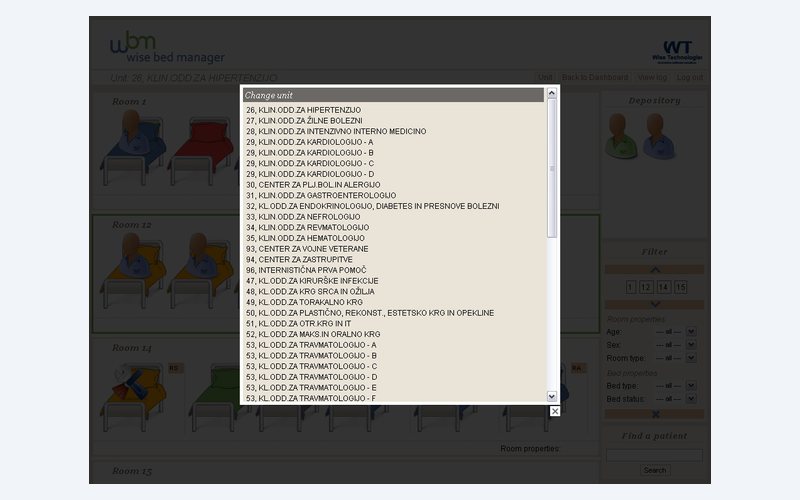
Bed manager view of units with their free and occupied capacity

Why the roles are separated this way

The separation is not only about permissions — it is about who is in a position to make a given decision. Ward staff know which bed in their unit suits a patient; they should not be able to move that patient into a unit they cannot see. The bed manager can see across units, so the transfer decision sits there.

That is why a nurse's "Move to another unit" is a proposal rather than a move. The patient appears in the target unit's Depository in green, and the receiving staff place them.

The executive role has no operational buttons at all. It exists so that the people who answer for the hospital's capacity can look at it without being able to change a patient's placement by accident.

See it running before you decide

The demo is the real application with sample data. Open a unit, drag a patient onto another bed, and see the log record it.