Features

Four things most CRM software sends you elsewhere to buy are inside Wise CRM, and four jobs a sales operation cannot get wrong are built around them.

All under one roof

Each of these normally arrives as a separate product, with a separate bill and a connector in between. Here they were built together.

No Mailchimp

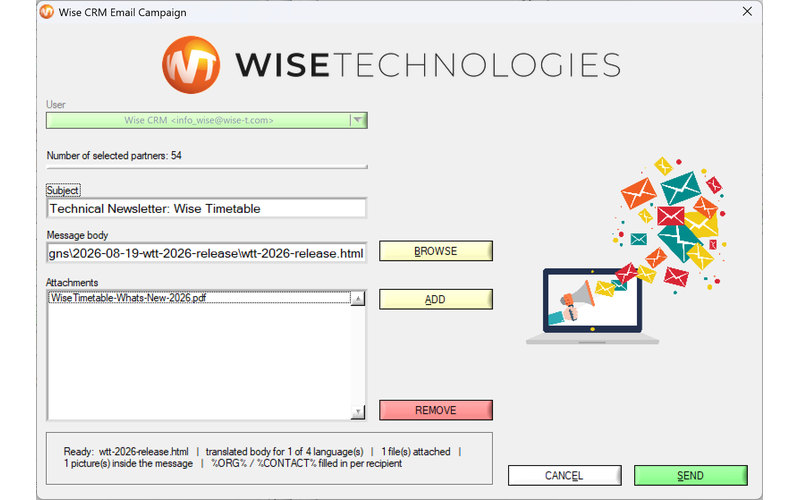
Mass e-mail, built in

Write to a filtered set of customers and leads from your own address. The subject is asked once, the recipients are shown before anything is sent, and sends are paced so your domain's reputation survives the campaign. Opt-out is honoured on every one. No marketing platform, no per-contact pricing, and your contact list never leaves your server.
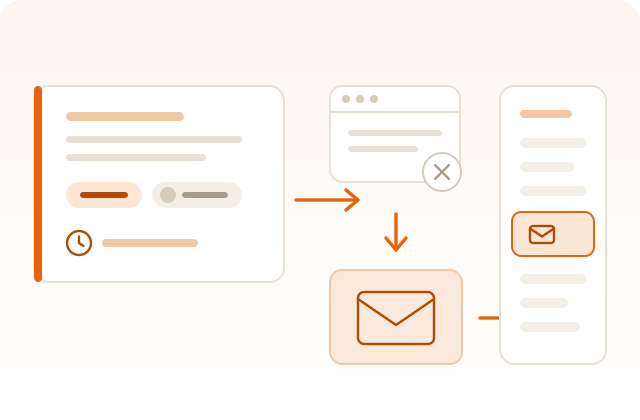
No Zapier

Your mailbox, connected

Wise CRM watches your shared mailbox itself over IMAP. A reply from a known contact raises the activity flag on their record, so what came back is visible on the account instead of in somebody's inbox. Nothing sits in the middle to be subscribed to, and nothing to re-authorise every few months.

No second tool

A real task manager

Priorities, deadlines, assignment, e-mail reminders that fire whether or not anybody had the program open, comments with a history, and every task linked to the accounts it is about. Not a checkbox bolted onto a note.

No add-on

Documents where they belong

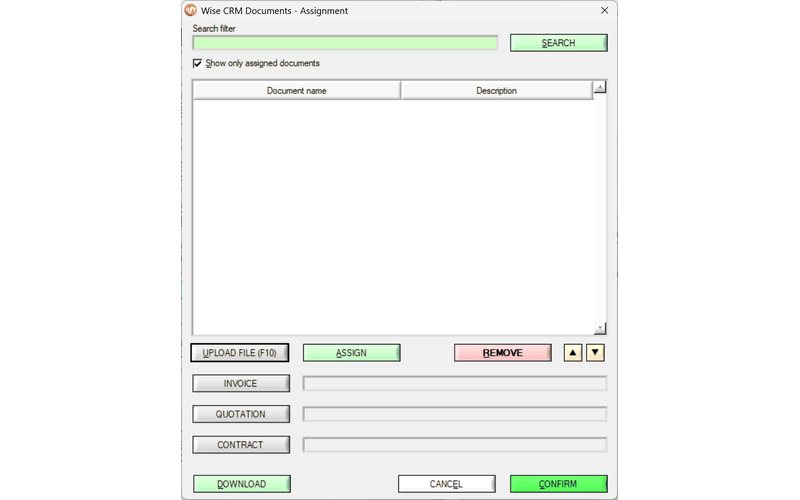
Contracts, quotations and invoices stay attached to the record they belong to, one click from wherever you are looking, on your own server. The active quotation, invoice and contract each have their own button.

What that buys you in practice

Because these four were built as one program, a single reply can walk the whole way through it without anybody copying anything.

A reply arrives

It lands in the shared mailbox you already answer from.

It is recognised

The sender is a known contact, so the activity flag goes up on that account.

A task is raised

You give it a deadline and an owner, and the reminder is now the software's problem.

The quotation is filed

It attaches to the same record, one click away the next time anybody opens it.

The four jobs, in detail

Tracked — never lose a follow-up

Every task carries its own reminder, and the reminder does not depend on you remembering to check.

  • E-mail reminders that do not miss. A reminder fires the moment it is due, or the moment the software next runs — even if nobody had it open that day.
  • A three-state follow-up view for leads: everything, what you have not touched yet, and what is already in motion — one click to cycle between them.
  • An overdue view that surfaces only what is actually late, so daily triage takes a minute rather than an hour.
  • Follow-up notes that live on the lead: how to reach them, what was tried, what to say next.
  • Registered actions — every call, mail and meeting stamped with date, time and who did it.
The task list, with priority and status carried by the row colour
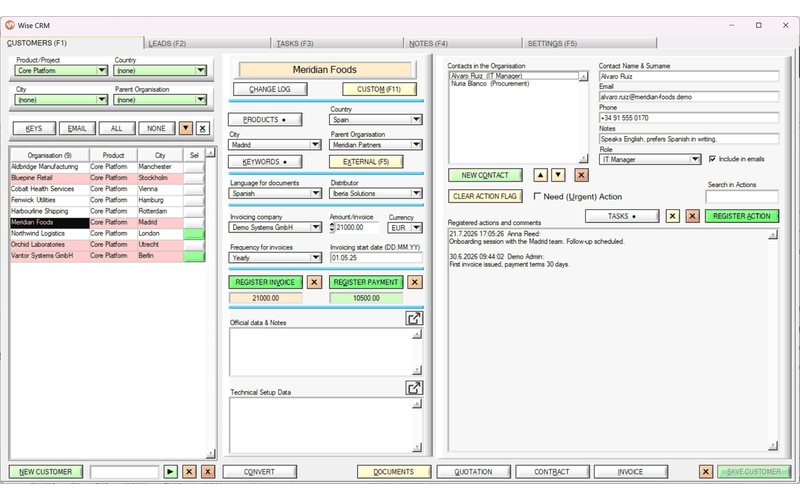
The Customers tab: one organisation, everything about it on one screen

Found — find exactly who you need

Search that helps you look, and filters that actually narrow — kept deliberately separate, because they are different questions.

  • Keyword filtering that means AND, not OR. Select three keywords and see only the accounts carrying all three — not a loosely related pile.
  • Search that never hides your data. Jump from match to match while the whole list stays on screen, so you never lose the wider picture while looking for one record.
  • Country, city, product and keyword filters that combine rather than compete.
  • A mark on the button when a record already carries documents, products, keywords or tasks — the answer without opening anything.
  • Project-scoped visibility: give a rep exactly the accounts they should see, nothing more, without a separate permissions system to maintain.

Logged — work together without stepping on each other

Built for a team from the ground up, rather than retrofitted for one.

  • A record locks the moment somebody opens it to edit — a colleague cannot silently overwrite work that is in progress.
  • Every change is logged automatically: who changed what, and when, with no extra step for anyone to remember.
  • Shared lists — countries, products, keywords, statuses — locked against deletion and renaming by everybody except the administrator.
  • An audit mail to the administrator when somebody does delete or rename a shared entry, with the chance to cancel the save.
  • Mass e-mail that respects your deliverability: throttled and compliant by default, with opt-out honoured on every campaign.
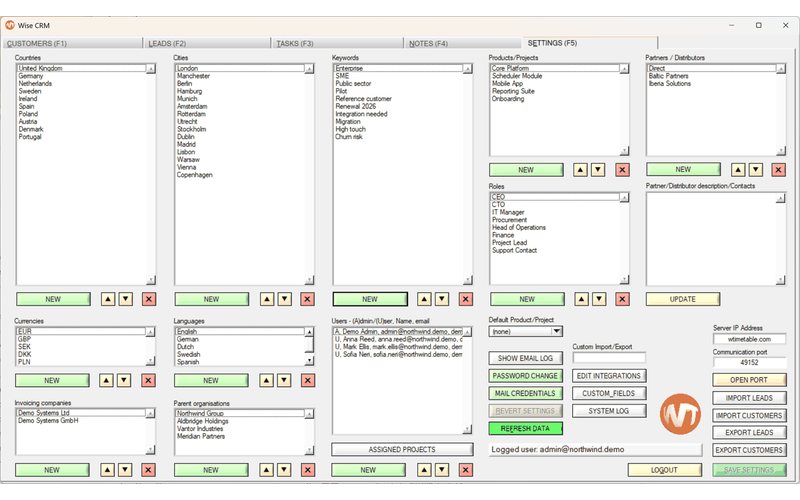
Settings: the shared lists every drop-down is fed from, plus users and administration
The document manager: contracts, quotations and invoices attached to the record they belong to

Filed — the paperwork takes care of itself

Invoicing, documents and imports are built in, not bolted on through a third-party integration.

  • Invoiced and paid, tracked per account, with reversal for the entry made by mistake.
  • A debtors view: one button drops the list to the accounts that owe you money, and how much.
  • Contracts, quotations and invoices attached to the record they belong to, opened in whatever application owns the file type.
  • CSV import that merges, not overwrites — bring in a spreadsheet without clobbering data your team already entered.
  • CSV export that round-trips: export, edit in a spreadsheet, import back, matched by record identity rather than by name.

That is the shape of it, not the whole of it

The complete list — everything documented in the user manual and present in the build you can download today — is on its own page.

Everything it does

It is free, so the only way to judge it is to run it

Install it, paste in the demo licence printed on the download page, and you are inside the full application in about two minutes. No account, no sales call first.