
Technical
Wise CRM is not assembled from a generic web-app template. It is a purpose-built client and server, engineered the same way we engineer scheduling software that has to hold up at hundreds of institutions.
Under the hood
No database bloat
A lean, purpose-built storage layer instead of a general-purpose database engine — nothing running that your data does not need, and nothing for anybody to administer.
Compressed and encrypted in transit
Every exchange between client and server is compressed and obfuscated by design, not bolted on as an afterthought.
Built to hold tens of thousands of records
The interface is engineered to stay responsive at real operating scale, not just in a demo with a handful of rows.
One team, one accountable build
The same engineers who built Wise Timetable build and maintain Wise CRM — no outsourced core, no acquired-and-abandoned codebase.
How the pieces sit together
A desktop client on each workstation, a companion app on the phone, and one server holding the data. Nothing else in the middle.
The server can be ours or yours. Either way, one licence is one folder — which is why a backup is a copy and a migration is a move.
A licence is a directory
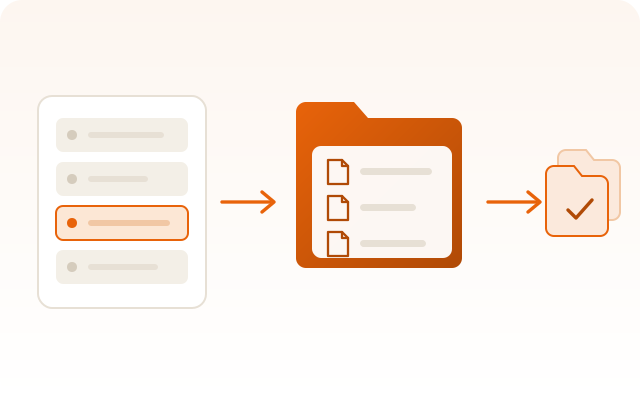
Every licence is one directory on the server, holding that customer's records as files named by record identity. Nothing about your data is spread across a shared database, and nothing about it depends on a database engine still being installed in five years.
That is the reason backing your licence up is copying a folder, moving it to another server is moving a folder, and CSV export can round-trip: export, edit in a spreadsheet, import back, and each row lands on the record it came from rather than on the record with a similar name.
What it needs
- Client operating system
- Windows 10 or Windows 11, 64-bit
- Installation rights
- None. The Store installs it for the current user, so no administrator and no IT department are needed.
- Installed size
- The Store package carries the program, its runtime and the user manual.
- Network
- Outbound TCP/IP to the licence server. No inbound port on the workstation.
- Server
- Ours by default. Your own Windows server if you prefer to hold the directory yourself.
- Your own SMTP for sending and IMAP for watching the shared mailbox.
- Companion app
- Android and iOS, reading the same data with the same visibility rules.
Your own integrations
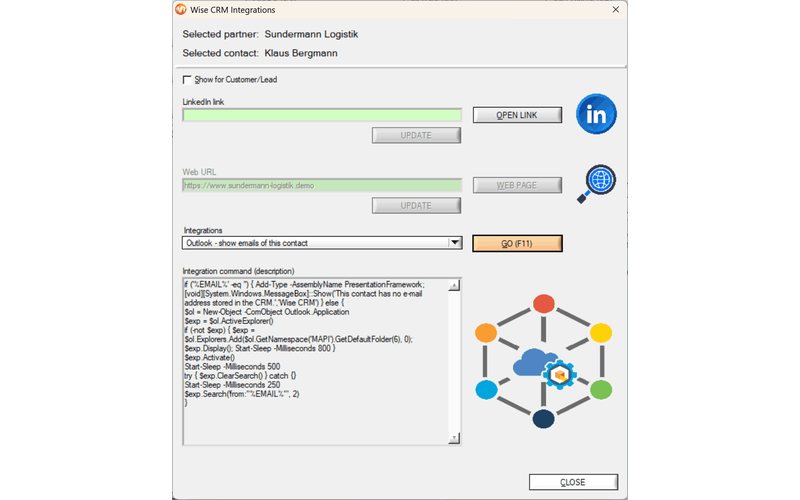
Wise CRM will not pretend to know what else you run. Instead it lets you define your own commands, which are executed against the selected record with its data substituted into them — dial the contact through your phone system, open the account in your accounting package, run a script of your own. It is a small feature that avoids a large category of glue.
Have a technical question this page does not answer?
Write to us and the person who wrote the code will answer. That is the whole support chain.